
GLF Connect users can now access more accurate and detailed insights on lesson revenue and delivered activities with the addition of a departmental drop-down in the dashboards.
The Lesson Revenue dashboard provides data on any transaction in the online booking system related to the initial charge for a service. This includes one-on-one bookings and the initial charges for class registrations, covering all payment types.
The Lesson Delivered dashboard tracks transactions related to the delivery of services, including one-on-one lessons and class sessions within a selected date range, regardless of payment status.
Previously, revenue displayed in these dashboards was attributed entirely to the selected coaches. This could lead to misinterpretation, as some revenue might have been assigned to other departments, such as Food and Beverage, making it appear that coaches received more than they actually did.
What’s New
With the departmental drop-down, users can now:
- Select All departments, multiple departments, or a single department.
- View revenue or delivered activity for a specific coach while filtering out unrelated departmental revenue. For example, after selecting a coach, the Golf Programming department can be chosen to ensure only revenue generated through that department is included.
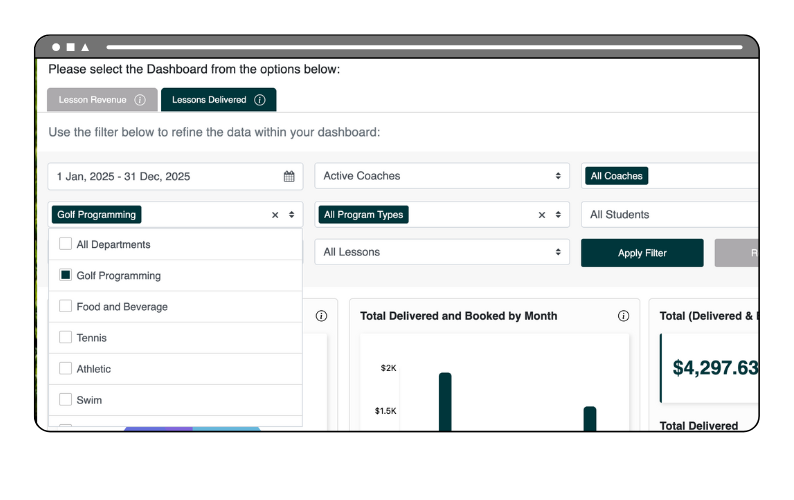
This update allows users to analyze revenue and delivered activities with greater precision, giving a clearer picture of performance across coaches and departments.