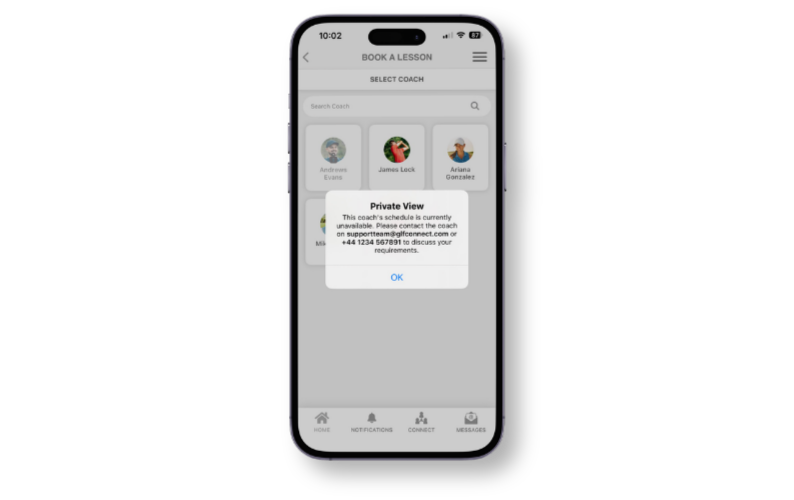
We've updated how coaches with Private View enabled appear in the mobile app booking system. This change brings the mobile experience in line with how Private View already works on the web, making the booking journey clearer and more consistent for your students.
Coach profiles now visible at the selection stage
Previously, when a coach had Private View enabled, their profile was hidden entirely from the Coach Selection stage in the mobile app booking system. Coaches with Private View enabled will now appear at the Coach Selection stage, giving students a complete view of all available coaches at your academy.
Locked profile indicator
Coaches with Private View enabled will be displayed with a lock icon and a subtle grey overlay on their profile image. This clearly signals to students that the coach's schedule is not publicly available for self-service booking.
Private View message on profile tap
When a member taps on a locked coach profile, a pop-up message will appear letting them know how to get in touch. The message will display the coach's contact details, so students can easily reach out to discuss their requirements directly.
Consistent experience across web and mobile
This update aligns the mobile app behaviour with the existing web-based booking system, ensuring members have a consistent experience regardless of how they access the platform.