
Based on feedback from clubs using the GLF-to-Micros integration, we’ve updated how checks are sent to the Micros point-of-sale (POS) system for single-session classes.
Previous Workflow
Previously, users needed to complete two separate pushes for single-session classes:
- Revenue Push: This first push sent a check to the POS instructing the user to charge the member according to the payment preference on the check (for example, “Pay via Member Charge”). This action also updated the balance sheet account with the funds.
- Delivered Push: Completed after the session was delivered, this push sent a check to the POS instructing the user to deduct funds from the balance sheet account to pay coaches and departments. The check split amounts between the coach and any relevant departments.
Feedback from GLF Connect users highlighted that for single-session classes, only one push should be necessary. This mirrors the process for private lessons, where a member or guest is charged and coaches/departments are paid in the same transaction.
What’s New
We’ve streamlined the process: single-session classes now require only a single push.
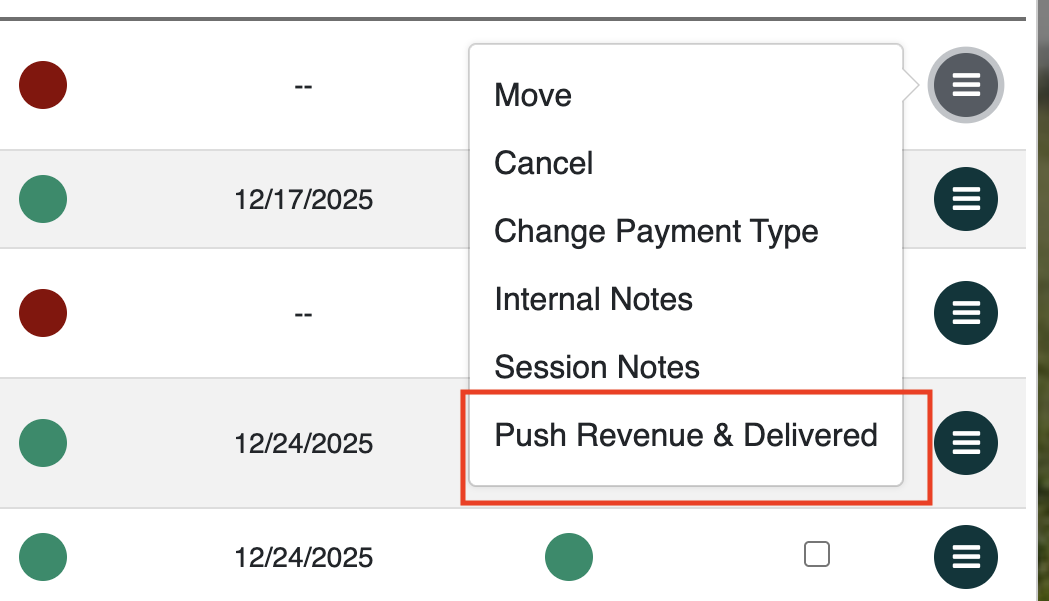
- On the schedule (web or mobile web): Users will see the option to Push Revenue and Delivered for any students with a pending revenue and delivered status (marked in red). Once the transaction is pushed, the color status updates automatically:
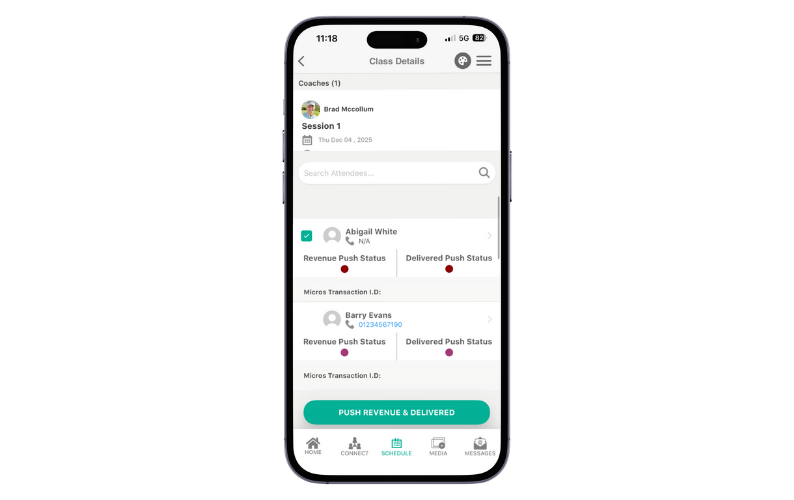
- On the mobile app: Users can access the Push Revenue and Delivered option via the Sessions tab:
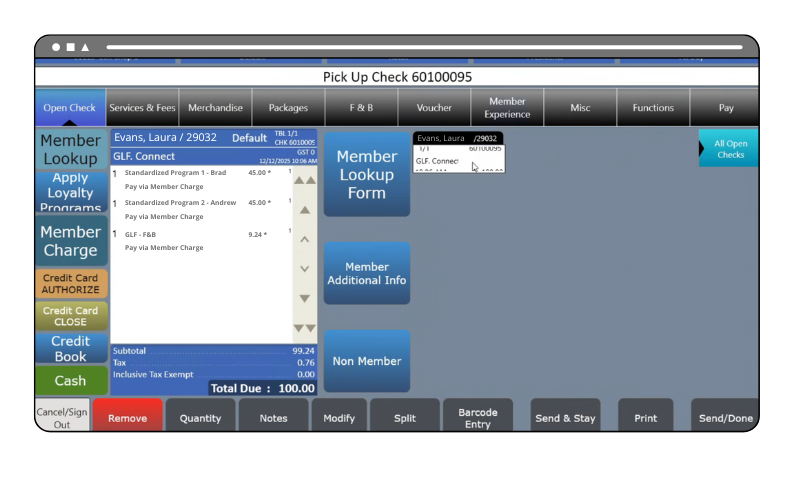
When the check reaches the POS, users should follow the payment preference instructions on the check. The check now includes both the member charge and the coach/department payouts, ensuring that funds are processed simultaneously. Once the check is locked, the funds no longer impact the balance sheet account — the member is charged, and coaches and departments are paid in the same transaction:
Micros Transactions Screen
On the Micros transactions screen, users will still see two rows per student: one for the member charge (Deferred Revenue) and one for the payout to instructors and/or departments (Non Deferred Revenue). However, both rows now share the same check number, simplifying reconciliation and reporting:

Video: